
There is a lot of talk about artificial intelligence, but for a company the question is simple: which task does it take off my plate? Odoo already stores the company’s data; well-applied AI puts that data to work. It is not a standalone chat, but AI that works on the real data in your Odoo, inside your processes. Here are four cases we have up and running.
1. Bank reconciliation in minutes, not afternoons
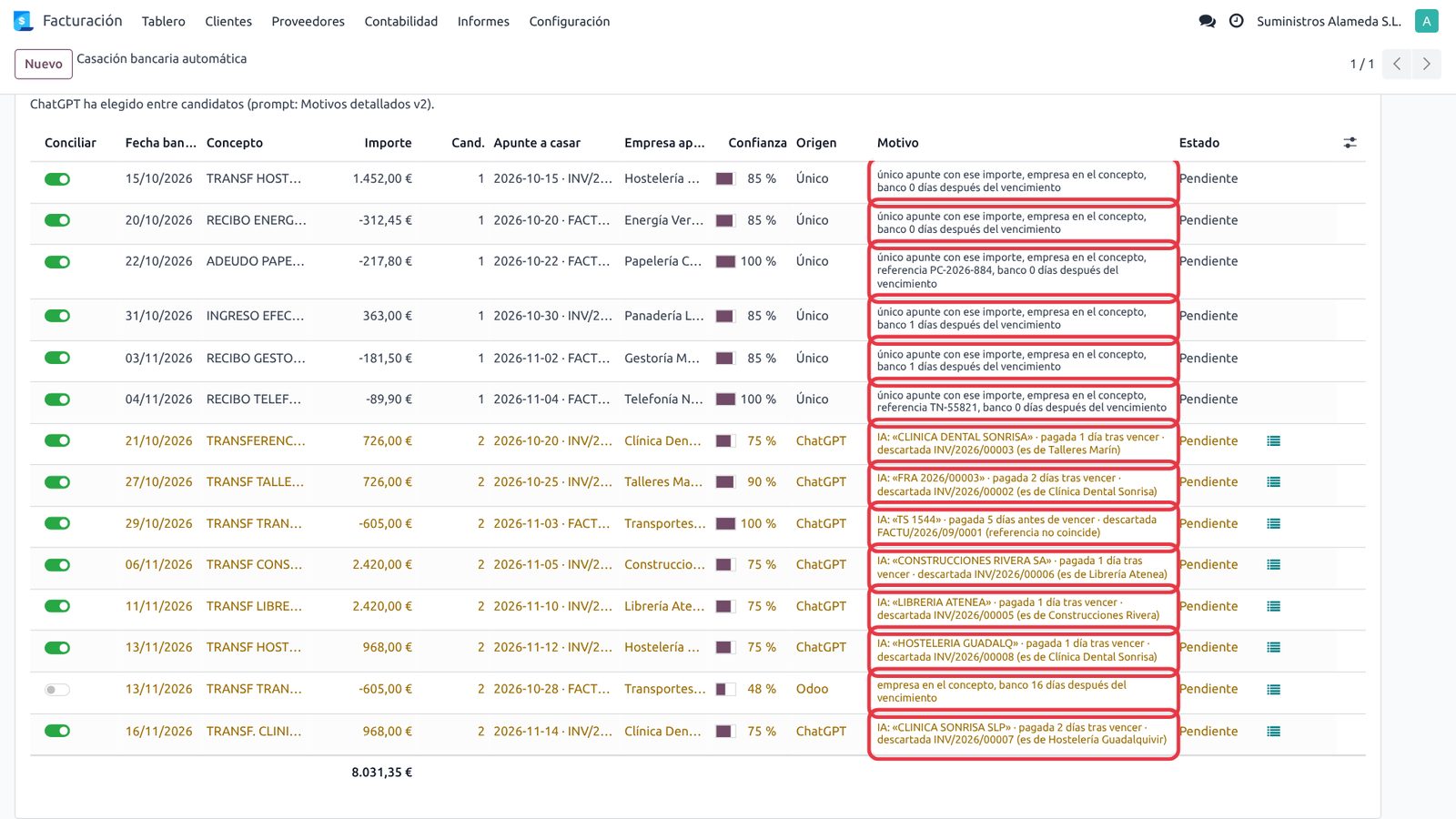
Reconciling the bank is one of the most repetitive tasks in any back office. Tetra Automatic Reconciliation reviews the whole statement and, for each transaction, looks for open items with the same amount: customer and supplier invoices, receipts, payments and transfers. It compares the partner, the references and the due dates, and gives each proposal a confidence score from 0 to 100.
When several invoices have the same amount, ChatGPT reads the bank description, picks the right one and explains why. In the demo, the bank goes from sixteen pending transactions to three in a single step.
2. Client documents that file themselves
For accounting and advisory firms the problem is different: clients send invoices, bank statements and payslips by email, WhatsApp or through their portal. Odoo identifies the client by their email or phone number and files each document in their folder, by year, quarter and document type. Anything from an unknown sender is set aside to be assigned with one click.
3. Automatic posting of invoices and payslips
If the firm also keeps the client’s books, it just ticks on the client’s record what should be posted. Every supplier invoice, customer invoice or payslip the client sends is read with OCR and artificial intelligence and posted in their company, without typing anything. For other companies, invoice OCR digitises and posts supplier documents in the same way.
4. Ask your Odoo
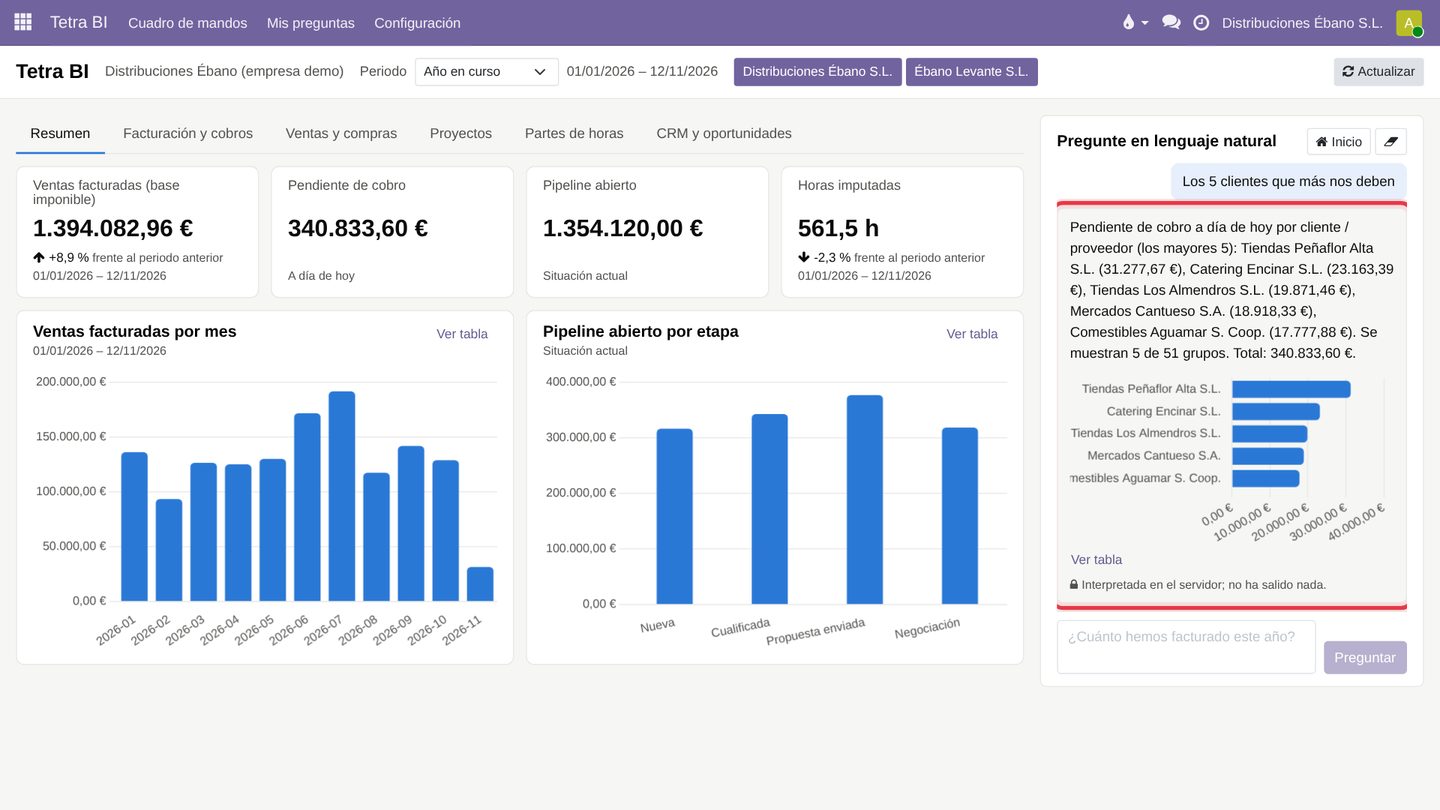
Tetra BI is a dashboard with invoicing, receivables, sales, projects, timesheets and CRM, plus an assistant you ask questions in Spanish, such as “the 5 customers who owe us the most”, and it answers with text, a chart and a total. It is read-only, most questions are resolved with rules on your own server and, if you enable an AI provider, only the question is sent, with customer and personal names replaced by placeholders; figures, never.
AI proposes, people decide
All four cases have something in common: artificial intelligence does not act on its own. Nothing is reconciled without your confirmation, uncertain proposals come unticked and every decision is explained. ChatGPT only chooses among the items Odoo gives it, and it can be switched off. That is how you make the most of AI without losing control of your accounts.
Is your Odoo old? Some of these tools need a recent version: here is how to migrate Odoo to version 19.
In the demo we show you AI on Odoo live, with cases similar to yours. More information on Odoo with AI.